
In this article
- What Counts as a Google Business Profile Lead?
- Why Google Business Profile Leads Are So Valuable
- How to Get More Google Business Profile Leads
- Common Google Business Profile Mistakes
- Service Area Businesses
- How to Track Google Business Profile Leads
- A Monthly Google Business Profile Routine
- How Bluu Helps Your Google Business Profile Work Harder
- Frequently Asked Questions
- The Bottom Line
Before many customers ever visit your website, they meet your business on Google: in the map, in the local results, with your rating, your photos, your hours and a button to call. Google Business Profile leads, the calls, website visits, direction requests and bookings that come from that listing, are some of the most valuable a local business can get. They are high intent, they cost nothing per click and they compound as your profile gets stronger.
Most businesses set their profile up once and never touch it again. Most also have no idea how many leads it produces, because nothing is tracking them.
This guide covers why these leads matter, how to earn more of them, and how to track every one so you can see what your profile is worth.
Key takeaways
- Google Business Profile leads are high intent: people searching for a service near them, ready to call or book.
- Complete every field, choose the right categories, add real photos, post regularly and keep reviews coming.
- Tag your website link with UTM parameters and use a call tracking number so profile leads are counted separately.
- Treat your profile as a lead source with numbers, not a listing you set once and forget.
What Counts as a Google Business Profile Lead?
Any action a customer takes from your profile that could become a job:
- Calls from the call button
- Website clicks from your profile to your site
- Direction requests to your premises
- Bookings through a booking link on your profile
- Messages and quote requests, where your category supports them
Each one comes from somebody who searched for what you do, found you and acted. That is about as warm as a lead gets.
Why Google Business Profile Leads Are So Valuable
- Intent is high. People searching for a service nearby usually need it soon.
- There is no cost per click. Your profile is free, so every lead it produces lowers your average cost per customer.
- Trust is built in. Your rating, reviews and photos sit right next to your name.
- It compounds. More reviews, photos and posts make the profile stronger month after month.
How to Get More Google Business Profile Leads
Complete Every Field
Business name, address or service areas, phone, website, hours (including holiday hours), services, products, attributes and a description. A complete profile gives Google more reasons to show you, and customers more reasons to choose you.
Choose the Right Categories
Your primary category matters most. Choose the one that best describes your main service, then add secondary categories for the other things you do. Check which categories your best-ranking competitors use.
Add Real Photos Regularly
Photos of your team, premises, vehicles and finished work make your profile feel real. Add new ones regularly rather than all at once.
Post Updates
Google Business Profile posts let you share offers, news and events right on your listing. Posting regularly keeps your profile fresh and gives customers another reason to act. The Social app in Bluu can publish to Google Business alongside your other channels; see our guide to social media scheduling.
Keep the Reviews Coming
Reviews are one of the biggest factors in whether people choose you from the map, and Google has said review count and rating factor into local ranking. Our Google reviews playbook covers how to ask, within Google's rules.
Add a Booking Link
If customers can book online, add your booking link to your profile so they can book straight from Google. Our guide to online appointment booking explains how to set it up.
Common Google Business Profile Mistakes
- Inconsistent details. If your name, address or phone number differs between your profile, your website and directories, customers and Google both lose confidence. Keep them identical everywhere.
- Keyword-stuffed business names. Adding extra words to your business name to rank breaks Google's guidelines and can get your profile suspended. Use your real name.
- The wrong primary category. It is the strongest signal about what you do. Choose the most specific one that fits your main service.
- Outdated hours. Nothing loses a customer faster than turning up to a closed door. Set holiday hours in advance.
- Stock photos only. Real photos of your team, premises and work build far more trust.
- Ignoring questions and reviews. Unanswered reviews and questions make a business look absent. Reply to every one.
- Setting it up once and leaving it. Profiles that are updated with new photos, posts and replies tend to perform better than ones left untouched for years.
Service Area Businesses
If you visit customers rather than having them come to you, set up your profile as a service area business: list the cities or areas you serve and hide your street address. You will still appear in local results for the areas you cover. Keep the areas realistic, matching where you genuinely work, because the same areas usually drive your Local Services Ads too. Our Local Services Ads guide explains why that matters.
How to Track Google Business Profile Leads
Google shows some numbers in your profile's performance view, but they live apart from your other marketing, and they cannot tell you which leads became customers. To track profile leads properly:
Tag Your Website Link
Add UTM parameters to the website link on your profile, for example ?utm_source=google&utm_medium=organic&utm_campaign=gbp
. Your analytics can then separate visitors from your profile from everyone else who arrives from Google search.
Use a Call Tracking Number
A common approach is to use a call tracking number as your profile's primary phone number and keep your main business number as an additional number, so your name, address and phone stay consistent while profile calls are counted. Our call tracking software guide explains how call tracking works.
Send Every Lead to One Inbox
Calls, website forms, chats and bookings from your profile should land in the same place as every other lead, with their source attached, so you can compare channels fairly.
Record What Happened Next
Mark which leads became customers and what they were worth. That turns "the profile gets some calls" into "the profile produced eleven customers last month at no ad cost."
A Google Business Profile with no tracking is a lead source you cannot prove. Tag it, track it and count what it brings in.
A Monthly Google Business Profile Routine
Thirty minutes a month keeps most profiles in good shape:
- Check your details. Hours, holiday hours, phone, website and services are still correct.
- Add new photos. A few recent shots of your team, work or premises.
- Publish a few posts. An offer, a tip, a recent job or an upcoming event.
- Reply to every review you have not answered yet.
- Answer any questions customers have asked on your profile.
- Look at the numbers. Calls, website clicks and bookings from your profile, compared with last month.
How Bluu Helps Your Google Business Profile Work Harder
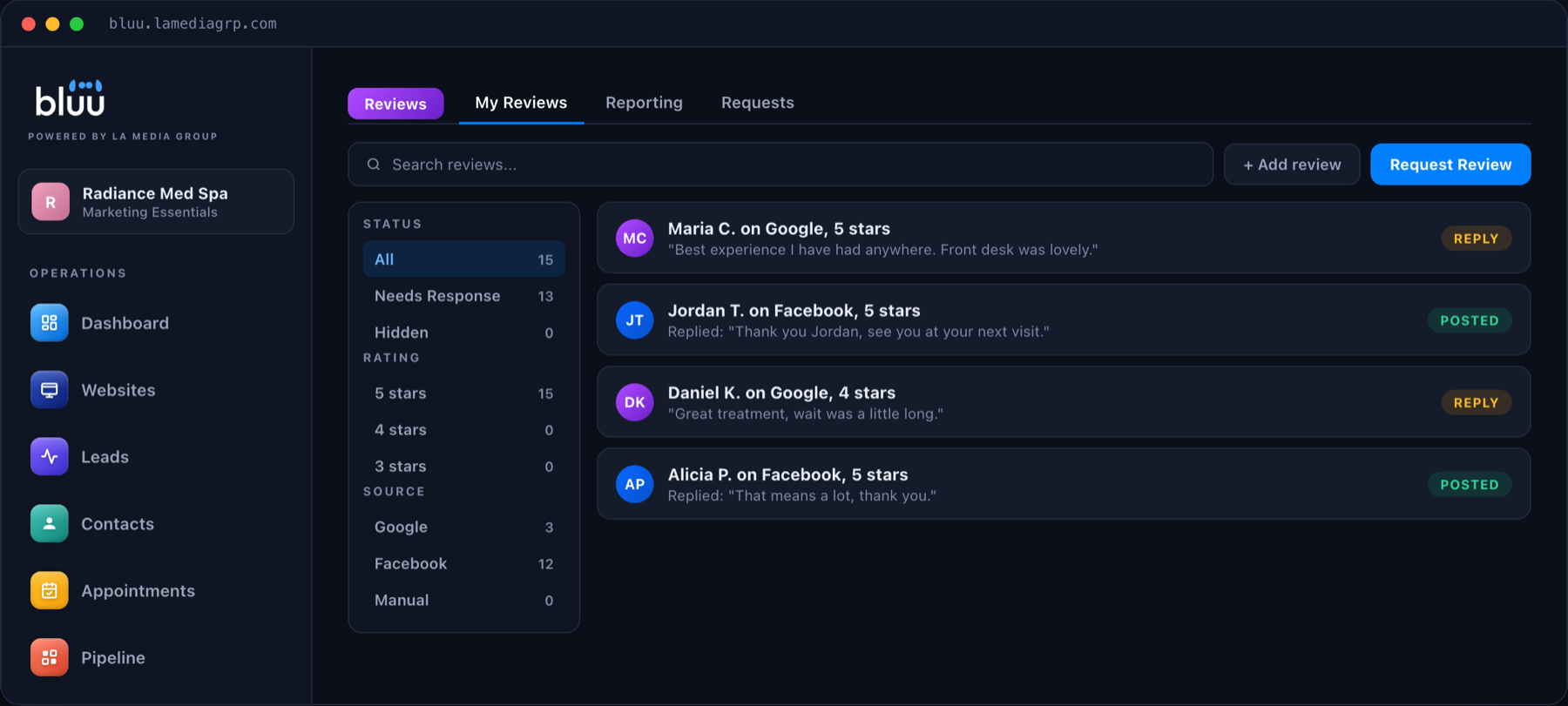
Bluu helps with the parts of your profile that take ongoing effort. The Reviews app brings in your Google reviews so you can reply and send review requests from one place. The Social app publishes posts to Google Business alongside your other channels. Listings keeps your name, address and phone consistent across directories. And every lead your profile produces, from tracked calls, website forms, chat and bookings, lands in one Leads inbox with its source, next to everything else.
Talk to a real person
Want More From Your Google Business Profile?
On a 20 minute call we will look at your profile with you and show you what we would change first. Month to month, with no contracts.
Frequently Asked Questions
What are Google Business Profile leads?
They are the calls, website clicks, direction requests, bookings and messages that customers make from your Google Business Profile listing in Google Search and Maps.
How do I get more leads from Google Business Profile?
Complete every field, choose accurate categories, add real photos regularly, post updates, keep reviews coming and add a booking link if customers can book online.
How do I track calls from my Google Business Profile?
Use a call tracking number as the profile's primary phone number and keep your main number as an additional number, so profile calls are counted separately without changing your business details.
Can I see which website visitors came from my Google Business Profile?
Yes. Add UTM parameters to the website link on your profile, and your analytics will show those visitors separately from other Google traffic.
Is a Google Business Profile free?
Yes. Creating and managing a Google Business Profile is free, which is why the leads it produces are among the most cost effective a local business can get.
How often should I post on my Google Business Profile?
Regularly enough that your profile never looks abandoned. Once a week is a sustainable rhythm for most local businesses, with extra posts for offers, events and seasonal news.
Do photos really affect Google Business Profile leads?
Yes. Real photos of your team, premises and work help customers trust you before they call, and an active profile with fresh photos looks like a business that is open and busy.
Should I reply to every Google review?
Yes. Thank people for positive reviews and reply calmly to negative ones. Future customers read your replies, and an unanswered profile looks like nobody is home.
Can I have a Google Business Profile without a storefront?
Yes. Businesses that serve customers at their location can set up a service area profile, list the areas they cover and hide their street address.
The Bottom Line
Google Business Profile leads are some of the best a local business can get: high intent, free per click and backed by your reviews. Complete and refresh your profile, keep the reviews coming, and tag and track every lead so you can see exactly what it is worth.
If you would like help getting more from yours, book a call or send us a message.