
In this article
- How a Small Business Ends Up With a Dozen Apps
- What Ten Separate Tools Actually Cost
- The Costs That Never Show Up on an Invoice
- Signs Your Software Stack Is Costing You Money
- How All-in-One Business Software Fixes the Problem
- How to Audit Your Own Software Stack
- What to Look for When You Consolidate
- Frequently Asked Questions
- The Bottom Line
Nobody sets out to run their business on twelve different apps. It happens one sensible decision at a time. A form builder because the website needed a contact form. A booking tool because customers kept asking. A reviews tool, a chat box, a CRM, a reporting tool. Each one made sense on the day you bought it, and that is exactly why all-in-one business software keeps winning the comparison once you add it all up.
We have looked inside a lot of small business software stacks. The pattern is always the same: the monthly bills are higher than the owner thinks, the tools do not talk to each other, and somewhere in the gaps between them, customers are falling through.
This article puts real numbers on what that costs you, and shows you how to work out whether your own stack is quietly draining money every month.
Key takeaways
- Ten common small business tools, bought separately at their published prices, come to about $784 a month.
- The subscriptions are only part of the cost. Time spent switching between tools, and leads lost between them, usually cost more.
- Tools that do not share data mean the same customer exists five times, in five places, with five different stories.
- All-in-one business software replaces the stack with one login, one customer record and one bill.
How a Small Business Ends Up With a Dozen Apps
Software sprawl is not a sign that you made bad choices. It is what happens when every problem gets solved on its own, at the moment it shows up.
You need people to contact you, so you add a form builder. You want to know who those people are, so you add a CRM. You want them to book, so you add scheduling software. Then a chat widget for the website, a reviews tool to ask for Google reviews, an email tool for follow ups, and a reporting tool because you can no longer tell which of the other tools is working.
Every one of those is a good product. The problem is not any single app. The problem is the stack.
What Ten Separate Tools Actually Cost
Here is a typical small business stack, priced at each vendor's own published list price. This is the same comparison we publish on our own Bluu page, and every figure is the vendor's price, not our estimate.
| What it does | Typical tool | Published price |
|---|---|---|
| Contacts and CRM | HubSpot Starter | $50 a month |
| Deals pipeline | Pipedrive, per user | $39 a month |
| Forms and surveys | Jotform Pro | $49 a month |
| Website chat with AI answers | Intercom plus Fin | $138 a month |
| Online booking | Calendly Teams | $20 a month |
| Events calendar | Timely | $29 a month |
| Reviews inbox and review requests | Podium | $289 a month |
| Email and SMS campaigns | ActiveCampaign | $49 a month |
| AI blog writer | Jasper | $49 a month |
| Reporting dashboard | Databox | $72 a month |
| Total | $784 a month |
Published list prices at the time of writing. Prices change, so check each vendor before you buy.
That is $9,408 a year, and it is a conservative number. Several of those tools charge per user, so a business with three people answering enquiries pays more. Most of them also have a cheaper tier that leaves out exactly the feature you bought them for.

The Costs That Never Show Up on an Invoice
The subscriptions are the visible part. These are the costs that make a stack of separate tools more expensive than it looks.
Time Spent Switching Between Tools
Every tool has its own login, its own layout and its own idea of where things live. Answering a simple question like "did this person book after they filled in the form?" means opening three apps and comparing them by hand. Multiply that by every enquiry, every week, and it becomes hours you are paying for in wages or in your own evenings.
Leads That Fall Between the Cracks
When the form tool, the chat tool and the booking tool each send their own notification to their own inbox, things get missed. An enquiry lands in a tool nobody checked that morning, and by the time anybody sees it, the customer has already booked with someone else. A lead you paid to attract and never answered is the most expensive line in the whole stack.
Five Versions of the Same Customer
The person who filled in your form, the person who chatted on your website and the person who booked on Thursday are often the same human being. In a stack of separate tools, they are three different records with three different spellings of their name. Nobody can see the whole relationship, so nobody can follow up properly.
Training, Turnover and Lost Logins
Every new staff member needs access to every tool, and every person who leaves needs to be removed from every tool. In practice, old logins linger and new staff only learn half the stack. Per-user pricing also punishes you for growing: hire a receptionist and several bills go up at once.
The most expensive thing in a software stack is not a subscription. It is the customer who slipped between two of them.
Signs Your Software Stack Is Costing You Money
Run through this list. If more than two of these sound familiar, your stack is likely costing more than it saves.
- You are not sure exactly how many software subscriptions the business pays for.
- You have to check more than one app to see every new enquiry from the last 24 hours.
- The same customer appears in more than one tool with different details.
- Nobody can tell you, with confidence, which marketing channel brought in last month's customers.
- Adding a staff member means setting up three or more new logins.
- You pay for at least one tool that nobody has opened in a month.
- Your reports are a spreadsheet somebody updates by hand.
How All-in-One Business Software Fixes the Problem
The alternative to a stack is a platform built so that every part already knows about every other part. That is what all-in-one business software means in practice: not a dozen features crammed into one menu, but one customer record that every feature writes to.
When someone fills in a form, they become a contact. When they chat, the conversation is on that contact. When they book, the appointment is on that contact too, and a reminder goes out automatically. When it is time to ask for a review, the request goes out from the same place. Nothing is copied between tools, because there is only one.
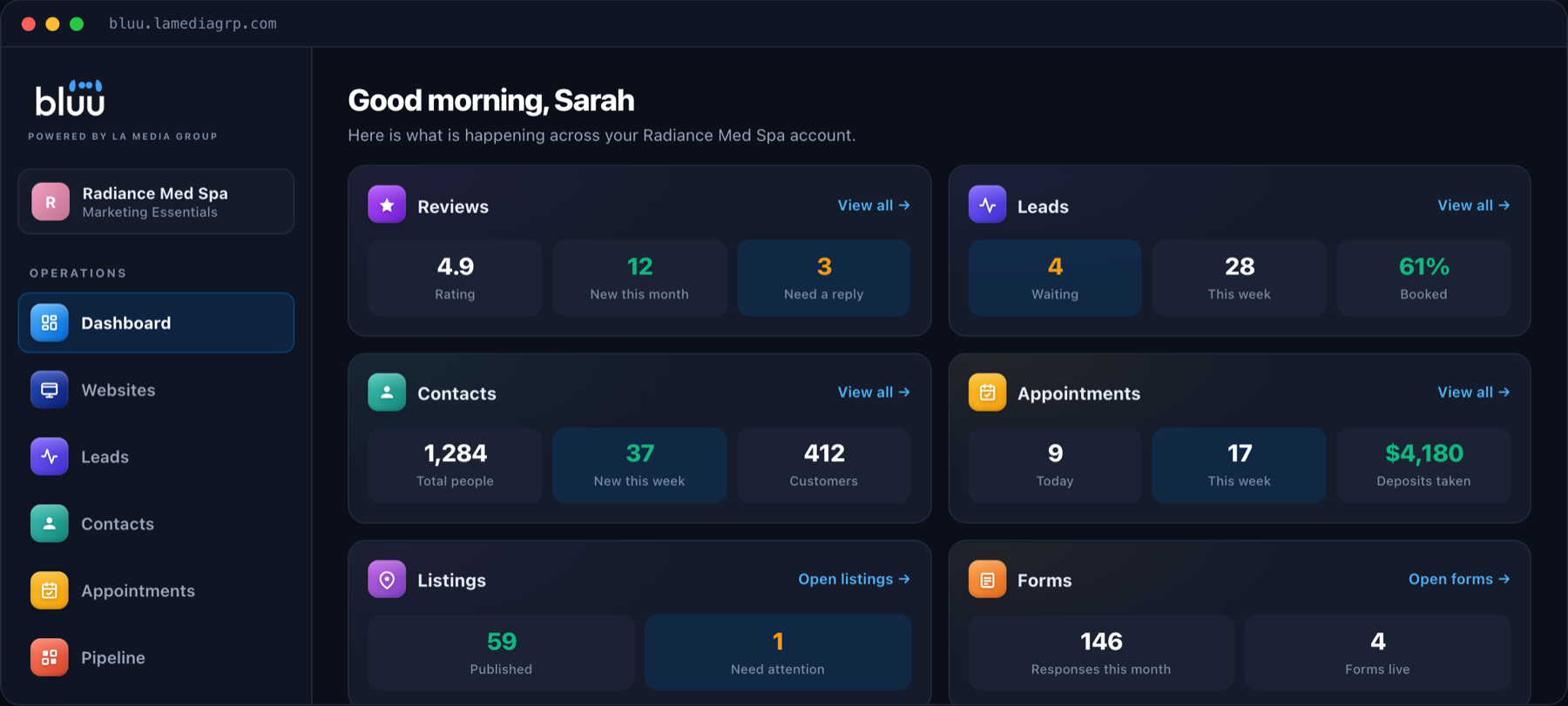
That is why we built Bluu. It brings contacts, the leads inbox, forms, website chat with AI, online booking, the deals pipeline, reviews, listings, templates, analytics, an events calendar and an AI blog writer into one dashboard. It is $199 a month with a one time $199 setup, month to month, with no charge per staff login.
Talk to a real person
Want to See What Your Stack Really Costs?
Bring your list of subscriptions to a 20 minute call. We will add it up with you and show you what would replace it, with nothing to sign.
How to Audit Your Own Software Stack
You can do this in an afternoon, and it is worth doing whether or not you ever talk to us.
- List every subscription. Go through your card statements for the last three months and write down every piece of software, what it costs and who uses it.
- Mark what each one actually does. Not what it can do, what you use it for. Most businesses use a small fraction of each tool.
- Find the overlaps. Two tools that both send email, two that both store contacts, two that both show reports. Each overlap is a bill you can likely cut.
- Follow one customer through. Take a recent customer and trace them from first contact to paid. Count how many tools they passed through and how many times their details were typed in by hand.
- Add up the real number. Subscriptions, plus a fair estimate of the hours spent moving between tools each week.
That last number is the one to compare against any all-in-one platform, including ours.
What to Look for When You Consolidate
Not every all-in-one platform is worth switching to. Before you move, check these:
- One contact record. Every form, chat, booking and review should land on the same customer, automatically.
- Pricing that does not punish growth. Watch out for per-user pricing that climbs every time you hire.
- No long contract. If the software is good, the company should not need to lock you in.
- It works with your website. You should not have to rebuild your site just to use the tools.
- Real setup help. The best platform in the world does nothing if nobody sets it up properly.
We wrote a full comparison of what to look for in an all-in-one marketing dashboard if you want to go deeper.
Frequently Asked Questions
What is all-in-one business software?
All-in-one business software combines the tools a business usually buys separately, such as a CRM, forms, booking, chat, reviews and reporting, into one platform with one login and one shared customer record. The point is not fewer menus, it is that every part of the business can see the same information.
How much do small businesses spend on software?
It varies widely, but a typical stack of ten common tools bought at their published prices comes to about $784 a month before any per-user charges. Many businesses spend more without realizing it, because subscriptions are added one at a time over several years.
Is all-in-one software worse than specialist tools?
Not usually, for a small business. Specialist tools are built for companies with a team dedicated to each one. Most local businesses need the core features done well, connected to each other, far more than they need every advanced option in a dozen separate products.
Can I keep my current website?
Yes. Bluu works with the website you already have, whether it is built on WordPress, Squarespace, Wix, Shopify or something custom. The chat, forms and booking page are each a snippet you paste once.
Is there a contract?
No. Every LA Media Group plan is month to month, with no contracts.
The Bottom Line
A stack of separate tools feels flexible, but it costs more than its invoices, and the biggest cost is the customers it quietly loses between apps. All-in-one business software is not about having fewer features. It is about having one place where every enquiry, booking and review belongs to the same customer.
If you want a second pair of eyes on your own stack, book a call or send us a message. We will add it up with you and tell you honestly whether switching would save you money.