

In this article
- Why Google Reviews Matter So Much
- The Rules: What Google Allows and What It Does Not
- How to Get More Google Reviews: When to Ask
- What to Say: Review Request Templates
- How to Make Leaving a Review Take One Tap
- How to Reply to Google Reviews
- Do Not Forget Facebook and Other Review Sites
- Turn Asking Into a Habit
- Common Mistakes That Cost You Reviews
- Frequently Asked Questions
- The Bottom Line
Ask any local business owner how to get more Google reviews and most will say the same thing: "our customers love us, they just never leave reviews". That is normal. Unhappy customers go looking for somewhere to complain. Happy ones go home and get on with their day, unless somebody gives them a reason and an easy way to share it.
Your Google reviews are one of the first things a new customer sees when they search for what you do, often before they ever visit your website. They also help Google decide which businesses to show in local results.
This playbook covers exactly when to ask, what to say, how to reply, and how to turn asking into a habit, all inside Google's own rules.
Key takeaways
- Most happy customers will leave a review if you ask at the right moment and make it one tap.
- Ask every customer the same way. Google does not allow you to ask only the ones you expect to be positive.
- Never offer anything in return for a review. It breaks Google's policies and can get reviews removed.
- Reply to every review, good and bad. Future customers read your replies as much as the reviews.
Why Google Reviews Matter So Much
When someone searches for a business like yours, Google shows a map and a short list of local businesses with their star rating and number of reviews right next to the name. Before anyone reads a word of your website, they have already compared you on those two numbers.
Reviews matter in three ways:
- Trust. A business with recent, detailed reviews looks established and reliable.
- Visibility. Google has said that review count and rating are among the signals it uses for local results, alongside relevance and distance.
- Conversion. A strong rating turns a searcher into a caller far more often than a weak one, even when the businesses are otherwise identical.
The Rules: What Google Allows and What It Does Not
Before any tactics, the rules. Breaking them can get reviews removed or your Business Profile restricted, so they are worth knowing exactly.
- Do ask your customers for reviews. Google encourages it.
- Do make it easy, with a direct link to your review form.
- Do not offer discounts, gifts, entries into a draw or anything else in exchange for a review.
- Do not ask only the customers you think will be happy. Google treats selectively asking for positive reviews, sometimes called review gating, as against its policies.
- Do not write reviews yourself, or ask staff, friends or family to review the business.
- Do not discourage or remove negative reviews you disagree with. Reply to them instead.
In the US, the Federal Trade Commission also treats fake reviews as deceptive, so this is about more than just Google.
Ask everyone, the same way
The safest and most effective approach is also the simplest: send the same review request to every customer after every visit. That is fair, it is within the rules, and it produces the most reviews.
How to Get More Google Reviews: When to Ask
Timing is the single biggest factor in whether someone leaves a review. Ask at the moment they are happiest with you, while the experience is fresh.
- Right after the job is finished for trades and home services.
- Within a few hours of the appointment for clinics, salons and studios.
- When the order arrives for anything delivered.
- The moment they say thank you. If a customer compliments you in person or by message, that is your cue.
The longer you wait, the less likely they are to do it. A request sent two weeks later competes with everything else in their inbox.

What to Say: Review Request Templates
Keep it short, personal and easy. Here are three you can adapt. Replace the details in each one with your own before you send it.
A Text Message After a Visit
"Hi Sam, thanks for coming in today. If you have a minute, a quick Google review would really help other people find us. It takes about 30 seconds: [your review link]"
An Email After a Completed Job
"Thanks again for choosing us for your new kitchen. We hope you are enjoying it. Most of our new customers find us through Google, so if you were happy with the work, a short review would mean a lot to the team. Here is the link: [your review link]. Thank you!"
In Person, at the Counter
"We are so glad you are happy with it. Would you mind leaving us a quick Google review? I can text you the link right now so it only takes a second."
How to Make Leaving a Review Take One Tap
Every extra step loses people. Do not ask customers to search for you on Google Maps and find the review button. Give them a direct link.
You can get your review link from your Google Business Profile, then put it everywhere a happy customer might see it: in your text messages and emails, on your receipts, on a printed card or QR code at the front desk, and on your website's contact page.
How to Reply to Google Reviews
Replying shows future customers that a real person is paying attention. Aim to reply to every review within a day or two.
For positive reviews, thank them by name, mention something specific about their visit if you can, and keep it brief. "Thanks so much, Maria. We loved working on your patio and we are glad the whole family is enjoying it."
For negative reviews, stay calm and keep it short. Acknowledge the experience, apologize where it is fair to, and take the conversation offline. "We are sorry your appointment ran late, Daniel. That is not the experience we want for anyone. Please call us on our main line so we can put it right." Never argue in public, and never share private details about the customer.
Future customers do not just read your reviews. They read how you answered the bad one.
Do Not Forget Facebook and Other Review Sites
Google is usually the most important place for a local business to collect reviews, but it is not the only one. Many customers check Facebook recommendations, and some industries have their own review sites that customers trust.
You do not need to chase every site. Pick Google first, then one other site that matters in your industry, and rotate your review link between them. A customer who was asked to review you on Facebook last time can be pointed to Google next time.
Whatever sites you use, the same rules apply: ask everyone, never offer anything in return, and reply to every review that comes in. Keeping all of your reviews in one place makes that last part far easier, because you are not logging into several sites to see what was said overnight.
Turn Asking Into a Habit
The businesses with hundreds of reviews are rarely the ones with the best service. They are the ones that ask every single customer, every single time, without anybody having to remember. That means making it part of the system, not a task on a list.
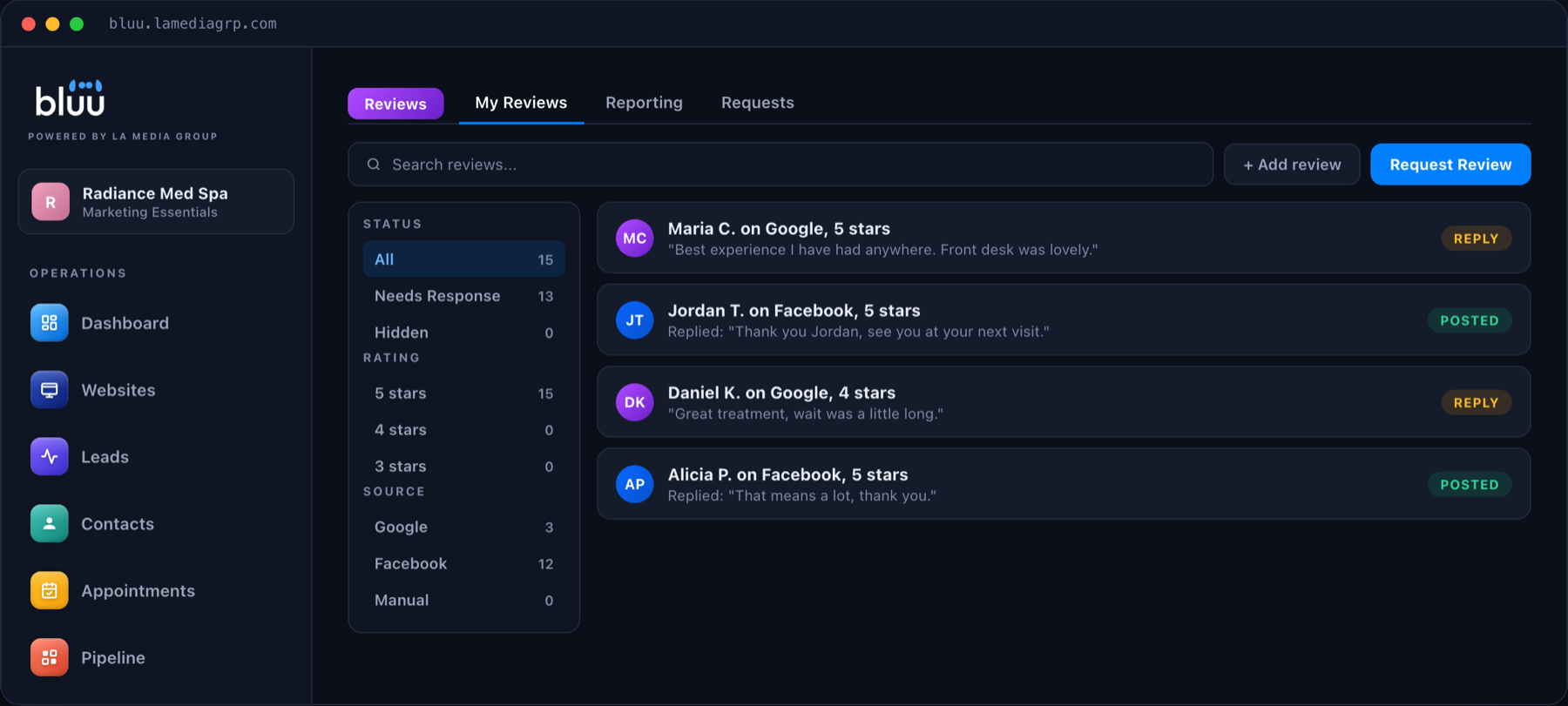
In Bluu, the Reviews app brings your Google and Facebook reviews into one inbox. You can reply to them from there, send review requests by text or email, and set rules that respond to new reviews for you. Because the request goes out from the same place as your contacts and bookings, asking every customer becomes routine rather than something somebody has to remember.
Talk to a real person
Want More Reviews Without Chasing Anyone?
We will show you, on a 20 minute call, how review requests and replies run from one screen. Month to month, with no contracts.
Common Mistakes That Cost You Reviews
- Asking weeks later. Ask while the experience is fresh.
- Making customers search for you. Always send a direct link.
- Asking only once in a while. Consistency beats a big push every few months.
- Ignoring reviews. An unanswered review, especially a negative one, looks like nobody is home.
- Offering rewards. It breaks the rules and can cost you the reviews you earned honestly.
- Asking only happy customers. It is against Google's policies, and a few honest mixed reviews make the positive ones more believable.
Frequently Asked Questions
How do I get more Google reviews quickly?
Send a short, personal request with a direct review link to every customer right after their visit or job. Doing that consistently will grow your reviews faster than any one-off campaign.
Can I offer a discount for a Google review?
No. Google does not allow you to offer money, discounts, gifts or anything else in exchange for reviews, and it may remove reviews that were incentivized.
Is it okay to only ask happy customers for reviews?
No. Google's policies prohibit selectively asking for positive reviews. Ask every customer the same way. It is fairer, it is within the rules, and it still produces mostly positive reviews when your service is good.
Should I reply to every Google review?
Yes, ideally within a day or two. Thank people for positive reviews, and reply calmly and briefly to negative ones, offering to resolve the issue offline.
Can I remove a bad Google review?
Only if it breaks Google's policies, for example if it is spam, fake or off-topic. You can flag it for Google to review. Otherwise, the best response is a professional public reply.
The Bottom Line
Getting more Google reviews is not about tricks. It is about asking every customer, at the right moment, with a link that takes one tap, and replying to every review that comes in. Do that consistently and your reviews will grow on their own.
If you would like that running for your business without anybody having to remember it, book a call or send us a message.