

In this article
- What an All-in-One Marketing Dashboard Should Replace
- The Side by Side Comparison
- Where an All-in-One Dashboard Wins
- Where Separate Tools Still Make Sense
- What Switching to an All-in-One Marketing Dashboard Looks Like
- The Checklist: How to Judge Any All-in-One Marketing Dashboard
- How We Price It
- Frequently Asked Questions
- The Bottom Line
Most local businesses do not have a marketing department. They have an owner, a front desk and a handful of tools that each do one job. An all-in-one marketing dashboard promises to replace that stack with one screen. Some deliver, and some are a dozen half-finished features behind one login.
We built one, so we are not neutral, and we will say so up front. But this comparison is written to be useful whichever way you go: it uses the vendors' own published prices, it names the trade offs honestly, and it ends with a checklist you can hold any platform to, including ours.
Key takeaways
- The ten tools a typical small business uses separately come to about $784 a month at their published prices. Bluu covers the same ground for $199 a month.
- The real advantage of an all-in-one marketing dashboard is not price. It is one customer record that every form, chat and booking writes to.
- Specialist tools win when you need one feature at enterprise depth. Most local businesses need ten features that work together.
- Judge any platform on setup help, per-user pricing, contracts and whether it works with your existing website.
What an All-in-One Marketing Dashboard Should Replace
Before comparing anything, it helps to be clear on the jobs. A local business typically needs software to:
- capture enquiries from the website, by form and by chat
- keep every customer and conversation in one place
- let customers book online and remind them before they arrive
- track deals from first enquiry to paid
- ask for reviews and answer the ones that come in
- keep the business listed correctly across directories
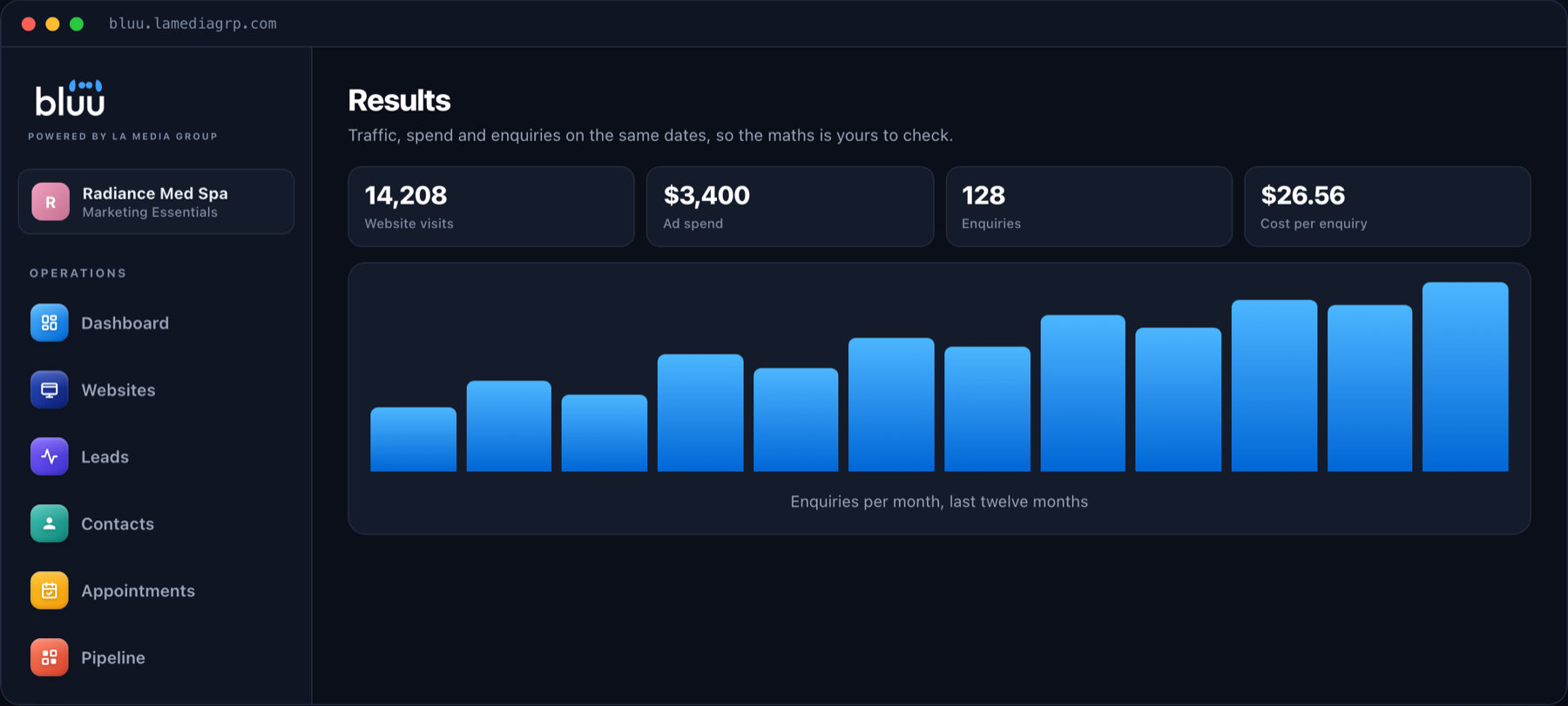
- show, in plain numbers, which marketing is working
Each of those has a well known standalone product. The question is whether you are better off with ten of them, or with one platform that does all ten.
The Side by Side Comparison
Here is how the standalone route compares with Bluu, our all-in-one dashboard. The middle column uses each vendor's published list price at the time of writing.
| The job | Separate tool and its price | Bluu |
|---|---|---|
| Contacts and CRM | HubSpot Starter, $50 a month | Included |
| Deals pipeline | Pipedrive, $39 a month per user | Included |
| Forms and surveys | Jotform Pro, $49 a month | Included |
| Website chat with AI answers | Intercom plus Fin, $138 a month | Included |
| Online booking | Calendly Teams, $20 a month | Included |
| Events calendar | Timely, $29 a month | Included |
| Reviews inbox and review requests | Podium, $289 a month | Included |
| Email and SMS templates | ActiveCampaign, $49 a month | Included |
| AI blog writer | Jasper, $49 a month | Included |
| Reporting dashboard | Databox, $72 a month | Included |
| Total | $784 a month | $199 a month |
Published list prices for the separate tools at the time of writing. Bluu is $199 a month plus a one time $199 setup.
The gap is $585 a month, or about $7,000 a year. But if price were the only difference, it would not be the most important part of this article.
Where an All-in-One Dashboard Wins
One Customer, One Record
In a stack of separate tools, the person who filled in your form, chatted on your site and booked a consultation exists three times in three databases. In an all-in-one marketing dashboard, they are one contact with one timeline. That is what lets you answer the questions that actually matter, like which advert brought in your best customers.
One Inbox for Every Lead
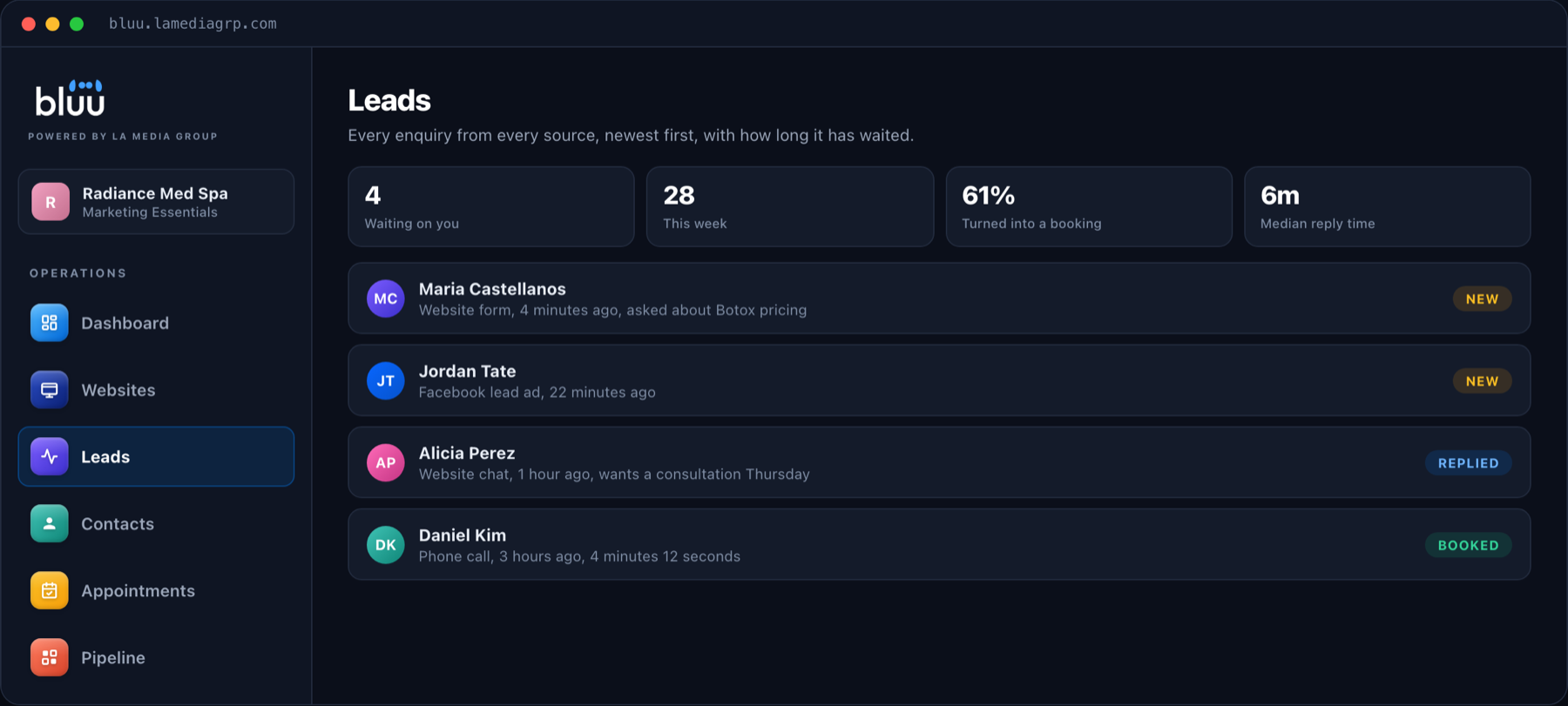
Separate tools send separate notifications to separate places. One dashboard puts every enquiry, from every source, into one Leads inbox, newest first, with how long each one has been waiting. That single change catches more business than any feature on a pricing page.
No Per-User Pricing
Several popular tools charge per user. That means hiring a receptionist raises three or four bills at once. Bluu does not charge per staff login, so the people who answer your enquiries can all have access.
Setup That Is Done for You
The quiet reason many stacks fail is that nobody had time to set them up properly. With Bluu, we read your website, fill in your business profile and configure the apps before you ever log in. Most businesses are set up the same day.
It Works With Your Website
You do not have to move your website to use an all-in-one dashboard. The chat, the forms and the booking page are each a snippet that works on WordPress, Squarespace, Wix, Shopify or a custom site.

Where Separate Tools Still Make Sense
An honest comparison has two sides. Specialist tools are the better choice when:
- you need one capability at enterprise depth, such as a sales team of fifty working inside a CRM all day
- you already have a person whose full time job is running that one tool
- your business has unusual requirements a general platform will not cover
For most local service businesses, none of those apply. What they need is the core of every tool, done well and connected, more than the deepest version of any single one.
Ten excellent tools that do not talk to each other will lose to one good platform that does, almost every time.
Talk to a real person
See Bluu Running on Your Own Business
On a 20 minute call we will show you the dashboard with your real website read in. No slides, no contract at the end of it.
What Switching to an All-in-One Marketing Dashboard Looks Like
The fear that stops most businesses from consolidating is the switch itself. It sounds like weeks of migration and retraining. Done properly, it is much smaller than that.
- Your information comes over first. Your contacts are imported from your existing tools or a spreadsheet, and your business details, services and hours are read from your website.
- The website pieces go in once. The chat widget, your forms and your booking page are each one snippet on your existing site, or we send them to whoever manages it.
- Google and Facebook connect with a button each. That brings in your reviews and your advertising numbers without anybody copying them across.
- You run both side by side for a short while. Old tools stay switched on until you are confident nothing is being missed, then you cancel them one at a time.
- Your team learns one screen, not ten. Because every app works the same way, there is far less to learn than in the stack it replaces.
The saving starts the month you cancel your first old subscription, and the time saved starts the first morning your team opens one inbox instead of five.
The Checklist: How to Judge Any All-in-One Marketing Dashboard
Use these questions on any platform you are considering. They are the ones that separate a real all-in-one dashboard from a bundle of loosely connected features.
- Does every form, chat and booking land on the same contact automatically? If you have to export and import between sections, it is not really one platform.
- Is there one inbox for every lead? Or does each feature notify you separately?
- What does it cost for your whole team? Check per-user pricing before you check anything else.
- Who sets it up? A platform with no setup help usually ends up half used.
- Does it work with your current website? Moving your website should never be a requirement.
- Can you see results in plain numbers? Visits, enquiries, cost per enquiry and bookings, without building a report.
- Is there a contract? A good platform keeps you because it works, not because you signed something.
- Is there help inside the product? Bluu has an AI assistant built in that answers how-do-I questions at any hour.
How We Price It
Bluu on its own is $199 a month plus a one time $199 setup. That includes every app in the dashboard and unlimited staff logins, month to month, with no contracts.
If you also want us to build and run your website, our plans start at $399 a month and include Bluu. You can see every option on our pricing page.
Frequently Asked Questions
What is an all-in-one marketing dashboard?
It is one platform that combines the tools a business uses to win and keep customers, such as a CRM, lead inbox, forms, chat, booking, reviews and reporting, so they share one customer record and one login.
Is Bluu a HubSpot alternative?
For a local service business, yes. HubSpot is a powerful platform built for companies with dedicated sales and marketing teams. Bluu covers the core of what a local business uses day to day, including booking and reviews, at a flat monthly price with no charge per staff login.
Do I need a new website to use Bluu?
No. Bluu works with whatever website you already have. The chat, forms and booking page are each a snippet you paste once, or we can send them to whoever manages your site.
How long does setup take?
Usually the same day. We read your website into the system, fill in your business profile and configure the apps before you log in. Quick Start then walks you through anything left, in order.
Can I move my existing contacts into Bluu?
Yes. You can import your existing contacts from a spreadsheet, so you start with your full customer list rather than an empty system.
What if I only want some of the apps?
That is fine. Every app is included, but you only need to use the ones that suit your business. Many businesses start with leads, contacts and booking, then switch on reviews and chat once those are running.
Is there a contract?
No. Bluu is month to month, with no contracts.
Does Bluu work for my industry?
Bluu is built for local service businesses of every kind, from clinics, salons and studios to trades, law firms and auto shops. Nothing in it assumes a particular industry, so the apps, wording and booking work the same way whatever you do.
The Bottom Line
The case for an all-in-one marketing dashboard is not that it is cheaper, although it usually is. It is that one platform can see the whole customer, from the first click to the review they leave, and ten separate tools never can.
If you want to see how that would look for your business, book a call or send us a message. We will show you the real thing, and tell you honestly if your current setup is already the better fit.