In this article
- Why Website Chat Matters for a Small Business
- What a Good AI Chatbot for Small Business Can Do
- What an AI Chatbot Must Never Do
- The Questions Your Chatbot Should Answer on Day One
- AI Chatbot, Contact Form or Live Chat?
- How AI Chat and Your Team Work Together
- Teach It What It Did Not Know
- Track It Like Any Other Lead Source
- How AI Chat Works in Bluu
- Setting Up an AI Chatbot: A Checklist
- Frequently Asked Questions
- The Bottom Line
Most website visitors who have a question do not call and do not fill in a form. They look for an answer, and if they cannot find one in a few seconds, they go back to Google and try the next business. An AI chatbot for small business websites changes that: it answers the question on the spot, at any hour, and collects the visitor's details so you can follow up.
The technology has improved enormously. A well set up AI chat can now answer questions about your services, hours and location in natural language, and even book an appointment, without sounding like a phone menu.
This guide explains what a good AI chatbot does, the rules it must follow, how it fits with your team, and how to set one up so it wins business instead of frustrating people.
Key takeaways
- An AI chatbot answers visitors instantly, around the clock, which is when many of them are deciding who to contact.
- It should learn from your own website and business details, never invent prices or give professional advice.
- The most valuable thing it does is capture the visitor's name, email and phone, so every chat becomes a lead.
- A good AI chat knows when to hand over to a human, and gets smarter as you teach it the questions it could not answer.
Why Website Chat Matters for a Small Business
A visitor on your website is the warmest lead you will ever have. They found you, they clicked through and they are reading about what you do. The moment they have a question is the moment they are most likely to become a customer, and also the moment they are most likely to leave.
Live chat staffed by people is the traditional answer, but it only works during the hours someone is watching. Most small businesses cannot have a person waiting by the chat window all day, let alone at night and at weekends.
That gap, between when visitors have questions and when someone is available to answer them, is exactly where an AI chatbot earns its keep.
What a Good AI Chatbot for Small Business Can Do
Answer Questions From Your Own Information
The best AI chat is trained on your business: your services, your prices where you publish them, your hours, your locations and the pages on your website. It answers in plain, friendly language, the way a knowledgeable front desk would.
Capture Every Lead
Before or during the conversation, a good chatbot collects the visitor's name and how to reach them. That turns an anonymous browser into a lead in your inbox, so even if the chat ends without a booking, you can follow up.
Book Appointments
If your business takes appointments, the chatbot should be able to check real availability and book the visitor in, right there in the conversation, with the booking landing in your calendar.
Hand Over to a Person
When the visitor asks something the AI should not answer, or simply wants a human, it should say so honestly and pass the conversation to your team, with everything said so far attached.
What an AI Chatbot Must Never Do
A chatbot speaks to the public on your behalf, so its limits matter as much as its abilities. A responsible AI chat for a business website should:
- Never invent a price. If a price is not in your information, it should say so and offer to have someone follow up.
- Never give professional advice that should come from a qualified person, such as medical, legal, financial or safety advice.
- Never make promises about results your business cannot guarantee.
- Never claim to have done something it has not, such as booking an appointment that was never made.
- Never give up on a lead. When it cannot answer, it should capture the visitor's details and hand over, not end the conversation.
These rules are built into how the AI chat in Bluu works, and the business owner's own instructions can never override them.

The Questions Your Chatbot Should Answer on Day One
Before you switch a chatbot on, write down the ten questions your front desk hears most. For most local businesses they look something like this, and every one of them should get a complete answer from day one:
- What services do you offer, and which one is right for me?
- How much does it cost, or where can I see your prices?
- What are your hours, and are you open on weekends?
- Where are you, and is there parking?
- Do you have availability this week?
- How long does an appointment or job usually take?
- Do I need to bring or prepare anything?
- Do you serve my area?
- Can I talk to someone?
- How do I book?
If the answer to any of those is not written down anywhere on your website or in your business details, the chatbot cannot know it. That is not a flaw in the AI, it is a gap in the information, and closing it helps your website visitors whether or not they ever open the chat.
AI Chatbot, Contact Form or Live Chat?
These are not competitors. A contact form suits people who already know what they want and are happy to wait for a reply. Live chat staffed by people is excellent during the hours someone is watching. An AI chatbot covers the rest: the evenings, the weekends and the busy afternoons when everyone is with a customer. Most businesses do best with all three working together, with every conversation and form landing in the same inbox.
| Contact form | Live chat with people | AI chatbot | |
|---|---|---|---|
| Answers immediately | No | Only when staffed | Yes, at any hour |
| Captures contact details | Yes | Sometimes | Yes |
| Can book an appointment | No | If staff do it | Yes |
| Needs someone watching | No | Yes | No |
How the three ways of being contacted on your website compare.
How AI Chat and Your Team Work Together
The goal is not to replace your team. It is to make sure no visitor waits for one.
The AI handles the questions it can answer well, the ones you hear every day about hours, services, location and how to book. Your team steps in for the conversations that need a person, with the full history in front of them. Nobody has to retype anything, and the visitor never gets a "we will get back to you" when a real answer was available.
The question is not whether AI should talk to your customers. It is whether anybody is talking to them at 11pm on a Sunday.
Teach It What It Did Not Know
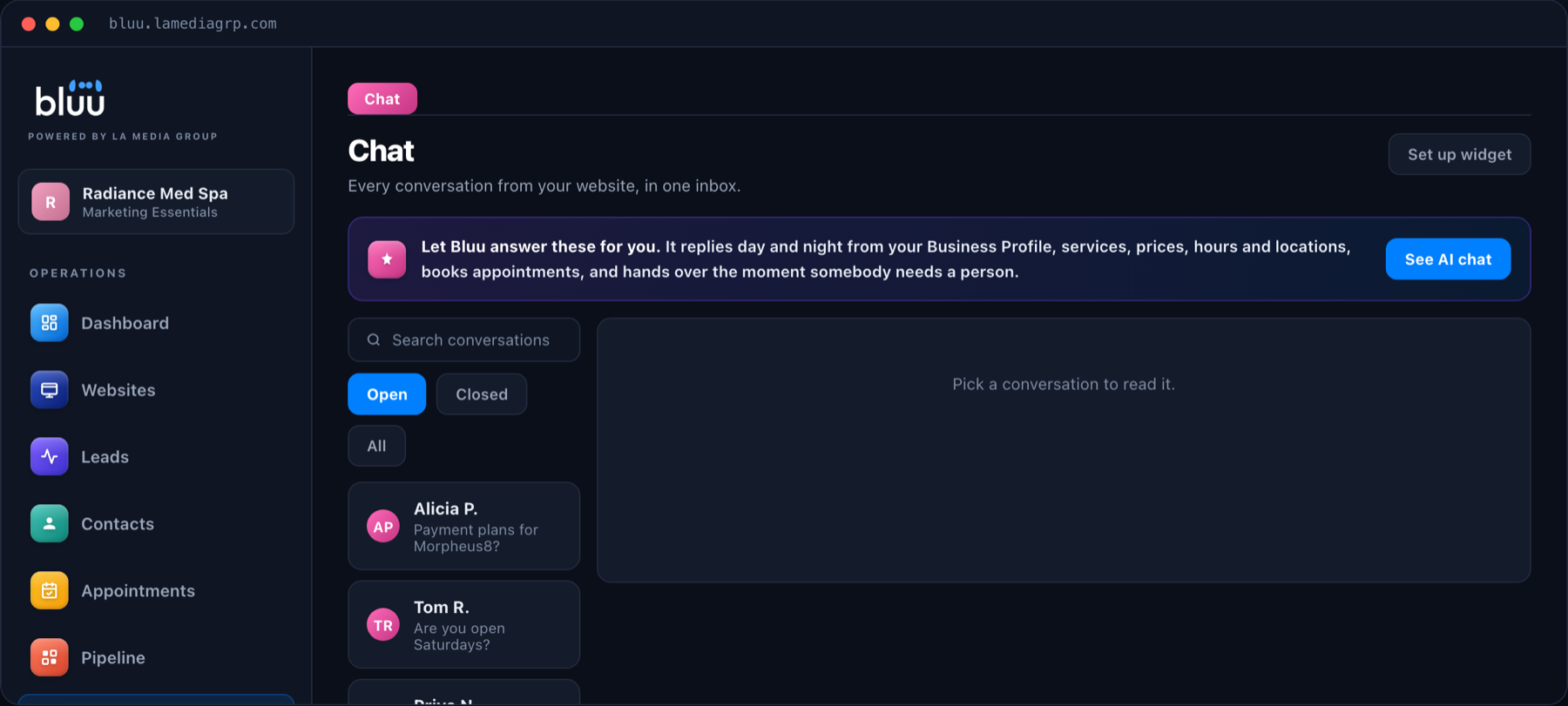
No chatbot knows everything on day one. The important part is what happens when it misses. In Bluu, every question the AI could not answer is collected in one list, grouped by topic and counted, so you can see exactly which gaps come up most. You type the correct answer once, and the AI uses it from the next conversation onward.
Over time, the gaps close, and the chat gets better at answering your customers in particular, not just customers in general.
Track It Like Any Other Lead Source
If you run ads, you want to know whether website chats come from them. The chat in Bluu sends events your Google Tag Manager or Google Analytics can count, such as someone opening the chat or starting a conversation, and it can fire a Google Ads conversion when a new conversation begins. That puts chat in the same reports as your forms and calls.
Talk to a real person
Want an AI That Answers Your Website Visitors?
On a 20 minute call we will show you the chat answering questions about your own business, read straight from your website. Month to month, with no contracts.
How AI Chat Works in Bluu
The Chat app in Bluu adds a chat widget to any website with one snippet, whether your site is built with us or on WordPress, Squarespace, Wix or Shopify. We read your website and business profile so the AI knows your services, hours and locations from day one.
Every conversation lands in one inbox, every visitor who shares their details becomes a contact and a lead, and your team is notified when someone needs a person. If you take appointments in Bluu, the AI can book them directly into your calendar. Website chat with AI is part of Bluu, at $199 a month with a one time $199 setup.
Setting Up an AI Chatbot: A Checklist
- Fill in your business details properly. Services, hours, locations and anything customers ask about often. The AI is only as good as what it knows.
- Decide what it should never say. Topics to avoid and questions to always hand to a person.
- Require contact details. Ask for a name and a way to reach the visitor, so every chat can be followed up.
- Connect booking. If customers can book online, let the chat book too.
- Set your office hours. So visitors know when a person is available to take over.
- Review the unanswered questions weekly. Answer the most common ones and the chat improves every week.
Frequently Asked Questions
What is an AI chatbot for a small business website?
It is a chat window on your website, powered by AI, that answers visitors' questions using your own business information, collects their contact details and can book appointments, at any time of day.
Will an AI chatbot give wrong answers?
A well built one answers only from your information and says when it does not know, rather than guessing. It should never invent prices or give professional advice, and it hands over to your team when it is unsure.
Does the chatbot replace my staff?
No. It handles the common questions instantly and captures leads around the clock, then hands the conversations that need a person to your team with the full history attached.
Can the AI chatbot book appointments?
Yes. In Bluu, if you take appointments online, the AI can check your real availability and book the visitor in during the conversation.
Will it work on my existing website?
Yes. The chat is one snippet you paste once, and it works on WordPress, Squarespace, Wix, Shopify and custom websites.
The Bottom Line
An AI chatbot for your small business website is no longer a novelty. It is the simplest way to make sure every visitor with a question gets an answer, at any hour, and leaves their details behind even when they are not ready to book. Set it up with good information, firm rules and a clear handover to your team, and it becomes the hardest working member of your front desk.
If you want to see it answering questions about your own business, book a call or send us a message.